Everything Notebook does, at a glance.
A calm canvas to think on, a co-pilot that builds, and real documents at the end of it. Here's the whole experience — the tools, the gestures, and the small touches that make it feel effortless.
Draw the idea exactly as you see it.
Pen, eraser, shapes, text, and a lasso — on ruled, blank, or grid paper, across as many pages as you need.
- Pen & shapes — sketch freehand or drop lines, arrows, and boxes with finger, stylus, trackpad, or mouse.
- Pick a colour & size — five presets plus a full wheel; three stroke weights.
- Lasso to select — circle anything to move, copy, rotate, or restack it.

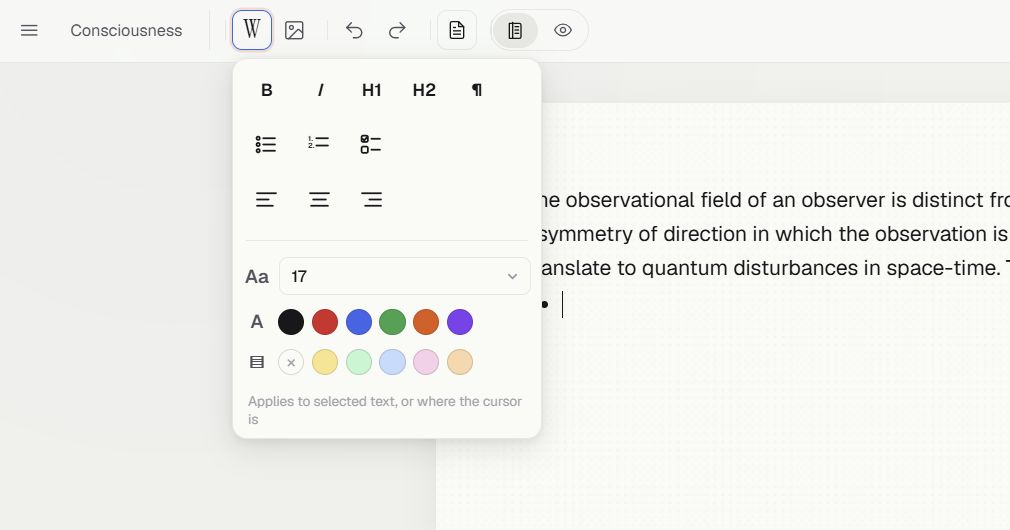
Or simply write like a document.
Switch any page into a clean, Word-style surface for long-form writing — no sketching required.
- The "W" menu — font size, bold / italic, headings, lists, colour, and highlight.
- Insert pictures — drop images in and position them alongside your text.
- Co-pilot answers flow in as formatted prose, with equations and tables as crisp images — auto-paginated as they grow.
Describe it — the co-pilot builds it.
Open the Co-pilot, turn on the Build agent, and say what you want. It creates and edits your page right from the chat — dashboards, decks, trackers, papers, small apps.
- Build agent on = it acts on your page; off = it just answers questions and drafts content.
- Set a theme for the look and structure; bring a style that fits your goal.
- Keep going — follow-up messages refine the same page, one change at a time.
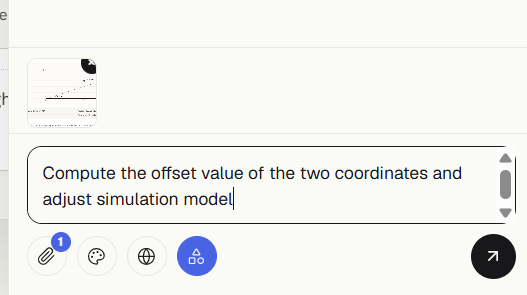
Pick a format — or let it choose.
A single tap sets the look and structure of what you build. The same sketch can become a deck, a dashboard, a paper, or a tidy to-do list.
- Website, slide deck, scientific journal, analytics dashboard, editorial long-read, productivity tool, casual notes — and more.
- No theme lets the agent choose the best format for what you asked.
- Change it mid-project and the artifact re-styles to match.
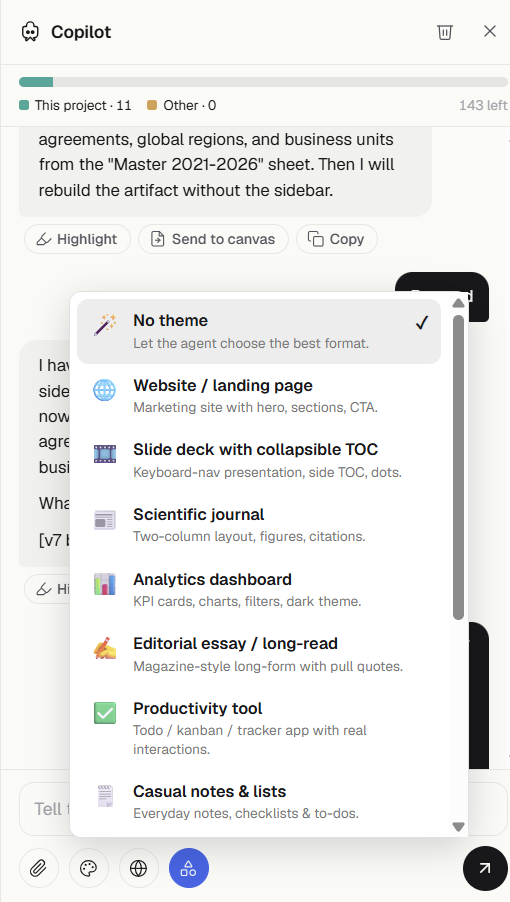
Point at it. Scribble what to change.
Give the co-pilot context any way you like — and let your annotations do the talking.
- Attach pages or capture a region straight off the canvas or preview.
- Annotations are instructions — circle a chart, draw an arrow, write "move this here" or "remove that".
- Bring data — attach a CSV or Excel file and it becomes queryable, so charts and tables use your real numbers.
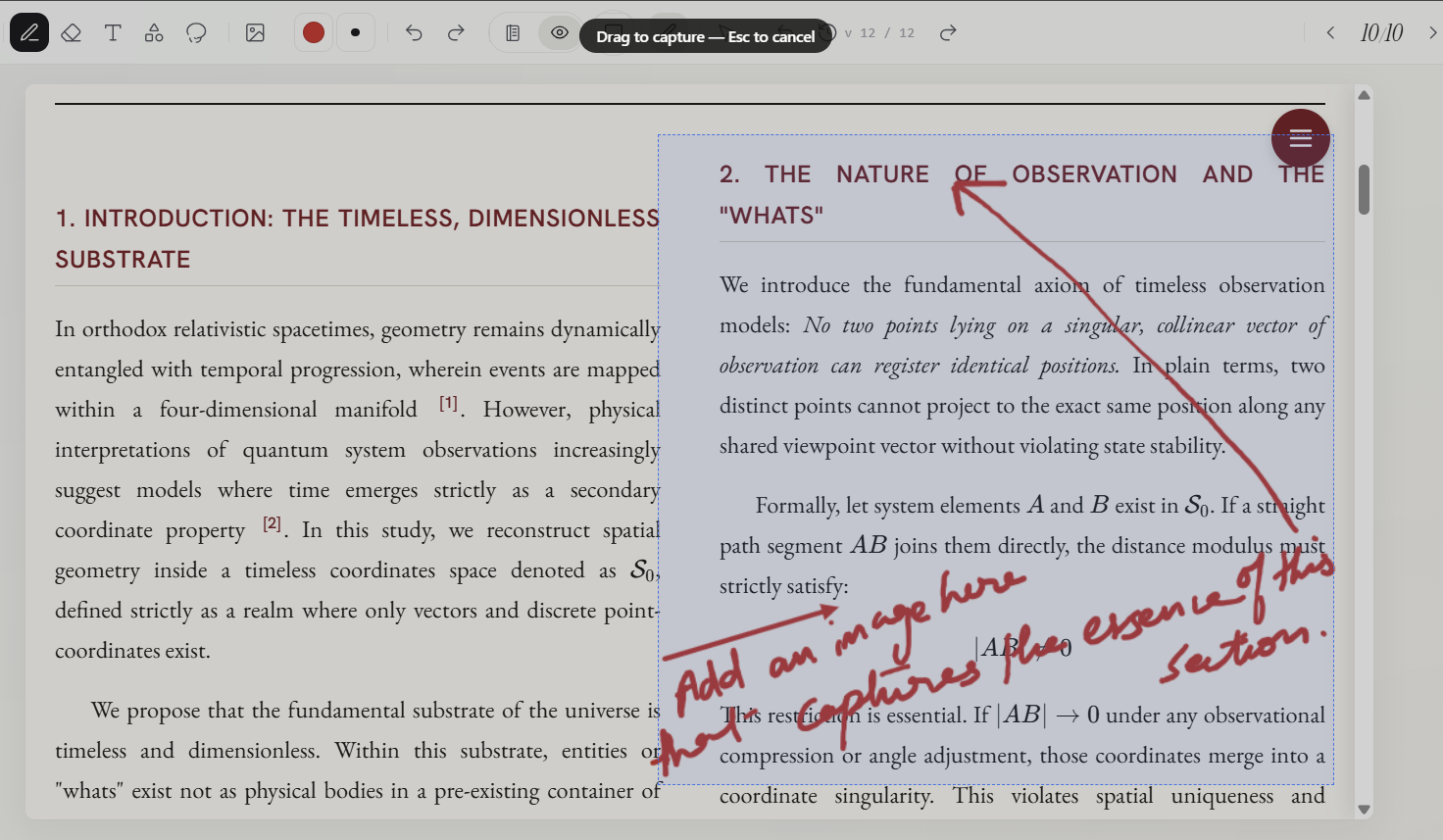
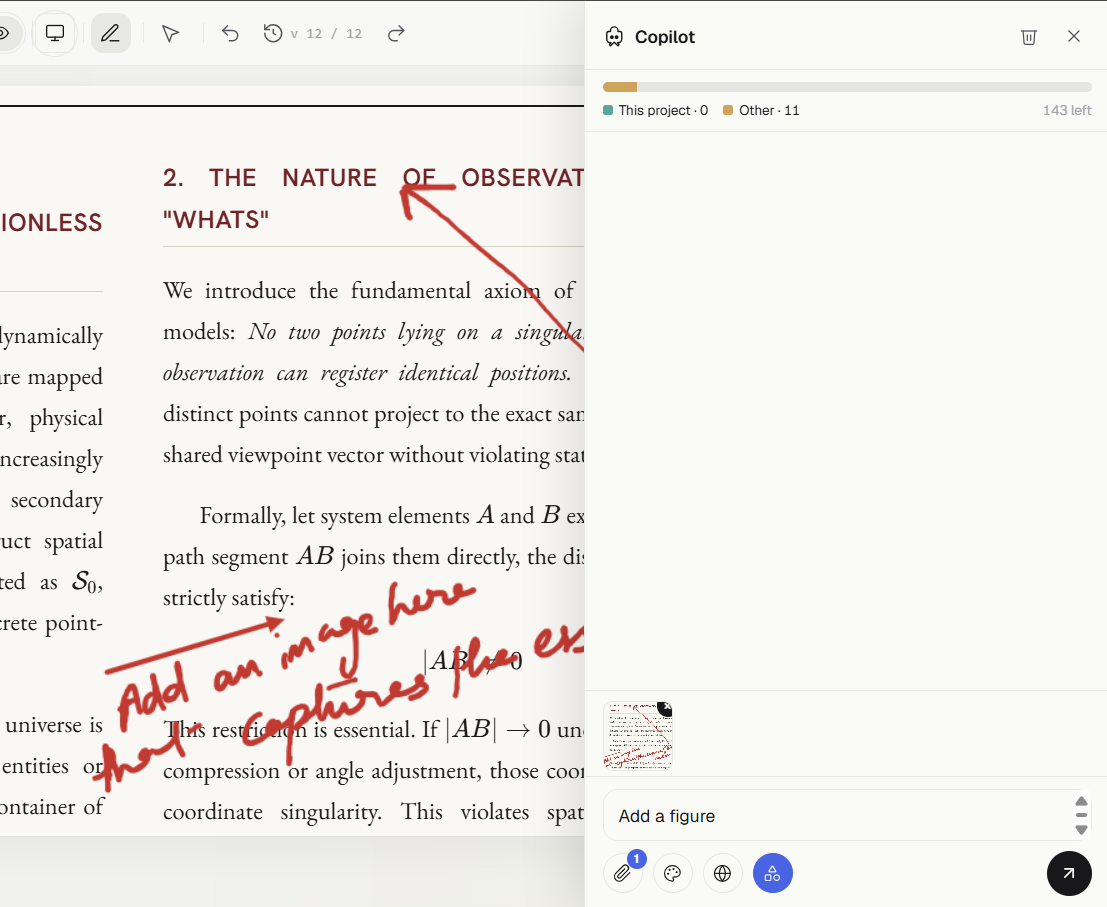
See the real thing — then fine-tune it.
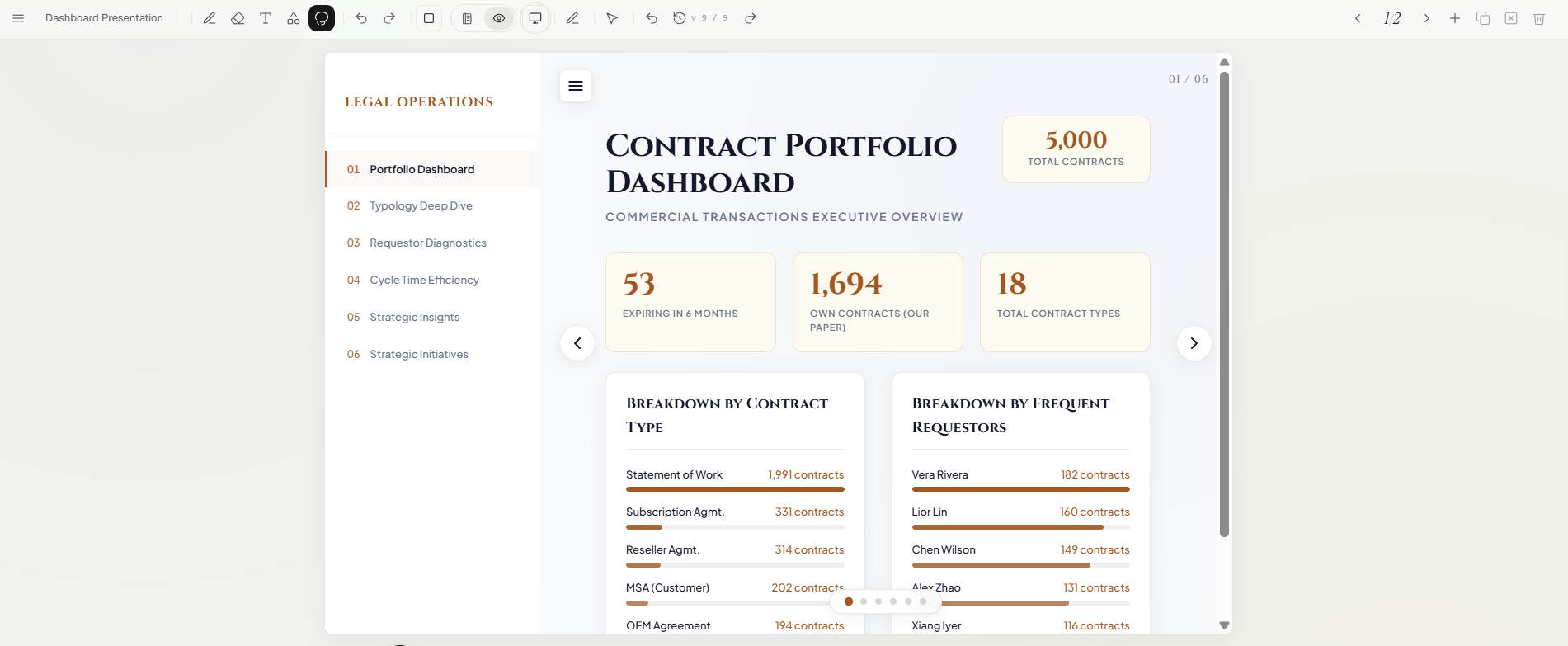
Flip to Preview for the working page. It's interactive, responsive, and fully editable.
- Any size — preview at desktop, tablet, and mobile widths.
- Annotate or edit — mark up changes on the page, or click an element to edit it in place.
- Versions — every edit is saved; step back and forth through your history at any time.
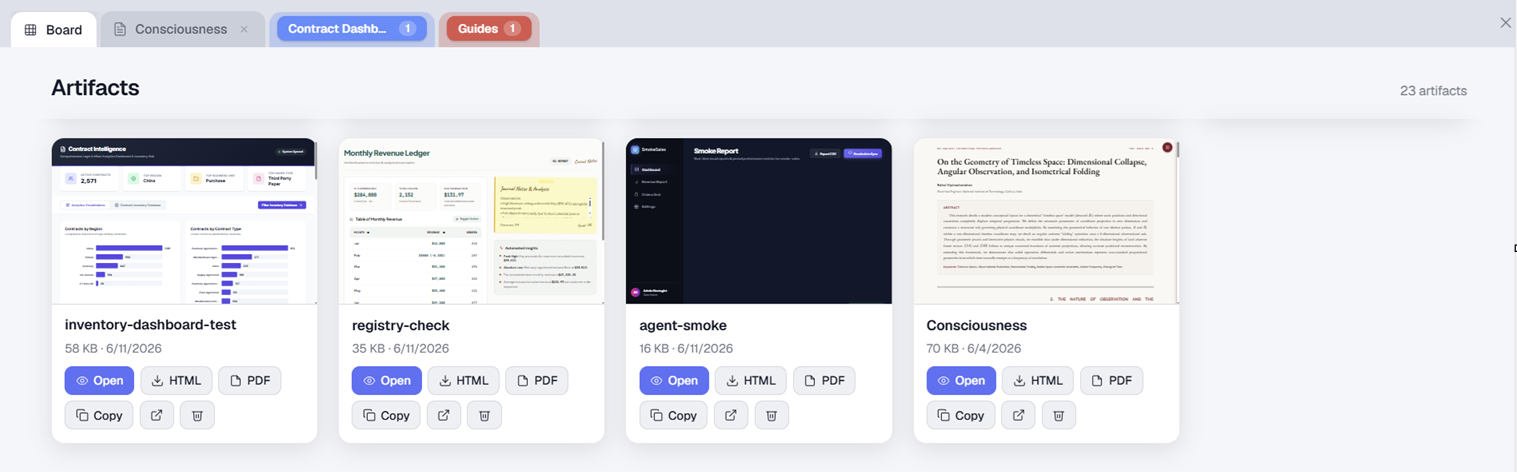
Everything you've built, beautifully organised.
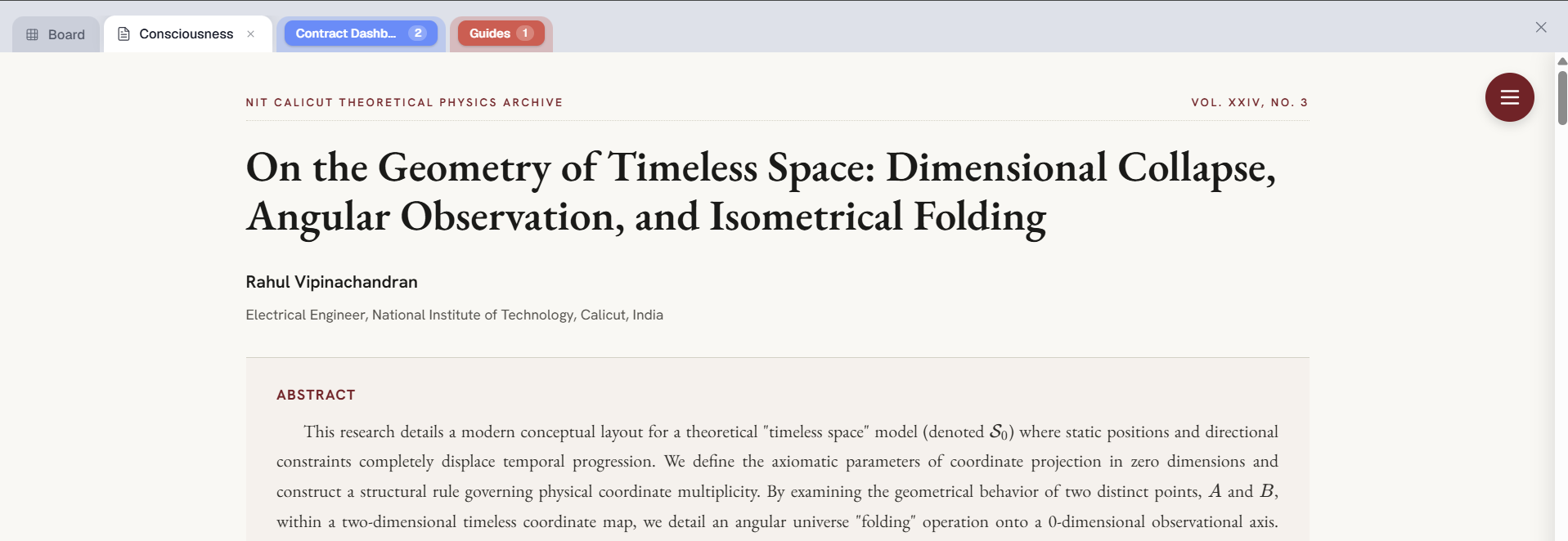
A full-screen, tabbed workspace for every page the co-pilot makes — like a browser for your work.
- Live-preview cards — open any artifact in its own tab; download the HTML or export a clean PDF.
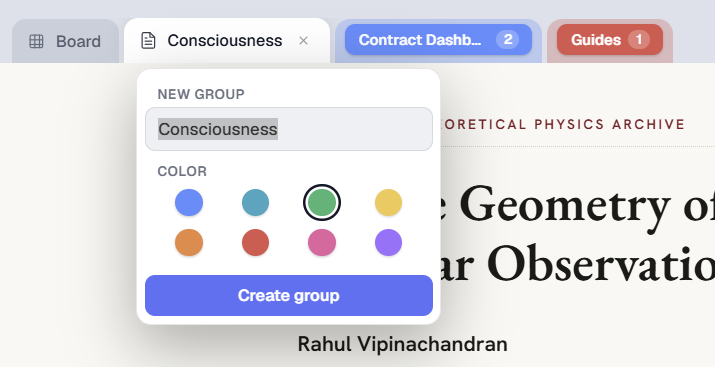
- Group by colour — right-click (or double-tap) a tab to make a coloured group, collapse and reorder freely.
- It remembers — your open tabs and groups are right where you left them.
Sketch where the idea catches you.
The same canvas on desktop, tablet, and phone. Stylus users get the most tactile loop — but it works just as well on a mouse or a finger.
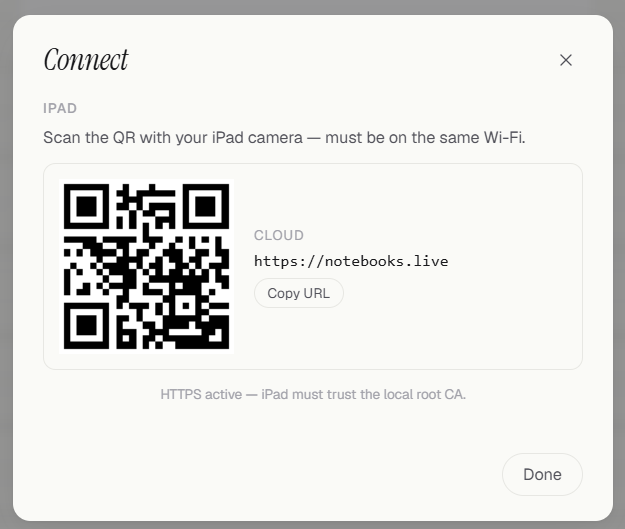
- Pair a device — scan a QR code and your tablet or phone flows straight into the session.
- Sync everywhere — projects, pages, uploads, and artifacts follow your account.
Thoughtful touches, throughout.
The details that make it feel like one calm, coherent tool.
Dark mode
A calm dark appearance for the app chrome — while the canvas stays light, true to paper.
Projects
Each project keeps its own pages and history; uploads and artifacts are shared across all of them.
Queryable data
Attach a CSV or Excel file and the co-pilot can run the numbers — charts and tables grounded in real data.
PDF & HTML export
Take any artifact with you — a clean, paginated PDF or a single self-contained HTML file.
Web search
Toggle it on and the co-pilot grounds your build in live information from the web.
Free to start
Every new account begins with free credits — explore building, editing, and exporting before you ever pay.
Open a notebook. Sketch one thing.
It's free to try, and the first project is a minute away.
Open Notebook